
Introduction
Business communication has shifted dramatically. Customers increasingly prefer texting over phone calls and emails, with SMS now delivering a 98% open rate compared to email's 20-30%. Yet traditional cellular plans remain expensive, inflexible, and difficult to scale across teams.
VoIP texting solves this problem. By routing SMS messages over internet connections instead of cellular networks, businesses gain device-agnostic access, automation capabilities, and significant cost savings—all while maintaining professional communication channels.
That solution is closer than most businesses realize. Many already use VoIP for calls without knowing their virtual numbers can handle two-way SMS—adding team collaboration, automation, and new customer engagement channels without switching platforms.
This guide explains exactly how VoIP texting works, practical use cases across industries, and the compliance rules (A2P 10DLC, toll-free verification, TCPA) that businesses must follow to avoid carrier blocking and fines.
What Is VoIP Texting and How Does It Work?
VoIP texting enables you to send and receive SMS/MMS messages using a virtual phone number over an internet connection, independent of traditional cellular carrier networks.
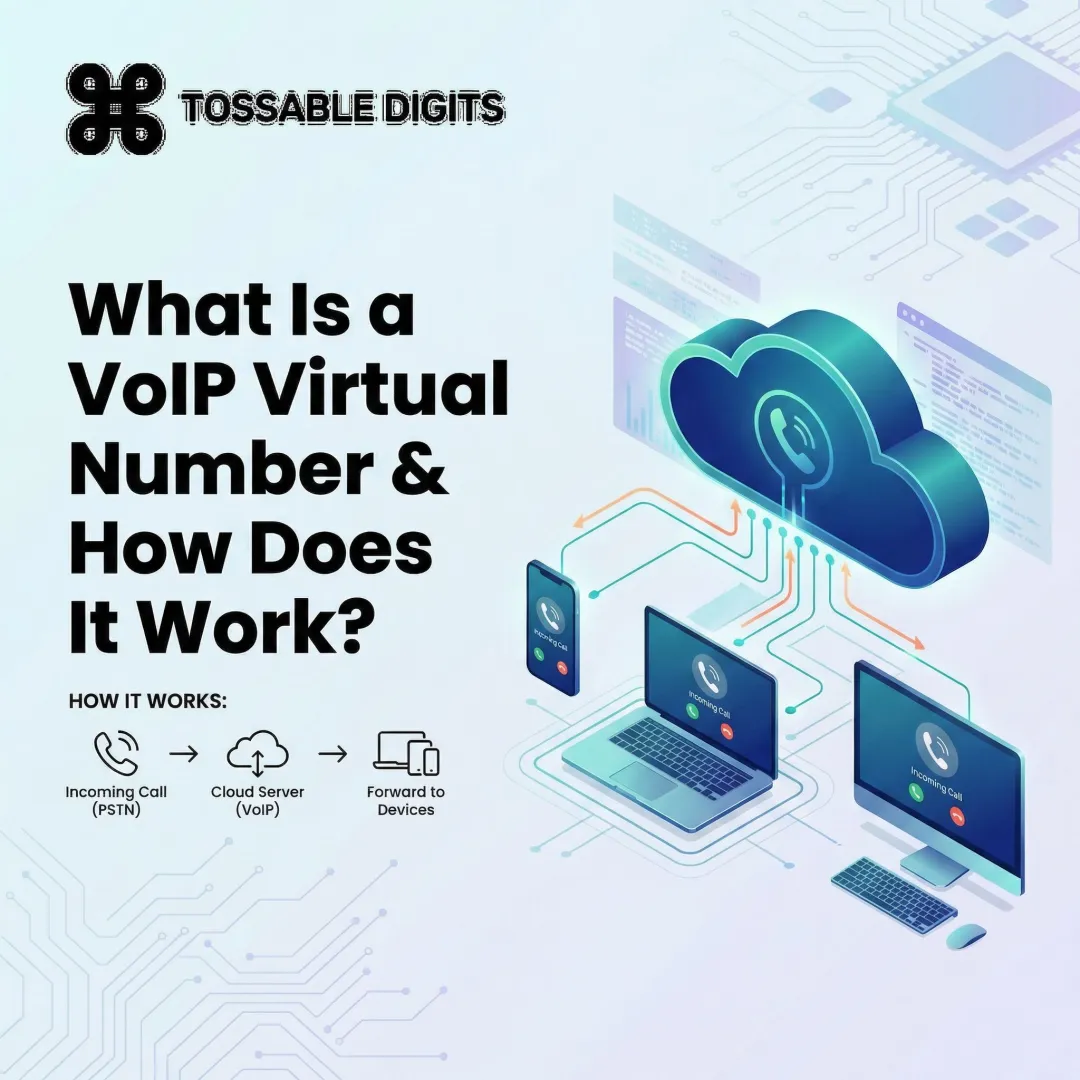
Here's how the message actually gets from your screen to the recipient's phone:
The technical flow in plain language:
- You compose a message on any internet-connected device (desktop, laptop, tablet, or phone)
- Your VoIP platform converts the text to digital data packets
- Data routes over the internet to your provider's servers
- The server delivers the message to the recipient's carrier network as standard SMS

The recipient sees a normal text message with no indication it was sent via VoIP — which matters when you need a consistent, professional presence across every customer interaction.
VoIP vs. Traditional SMS
Traditional SMS travels exclusively over cellular infrastructure, requiring a SIM-based mobile plan tied to physical hardware. VoIP texts travel over the internet and convert to standard SMS format only at final delivery.
This distinction enables device-agnostic messaging—you can text from a desktop, web browser, or mobile app using the same number simultaneously.
SMS vs. MMS Support
SMS is text-only, limited to 160 characters per segment (or 70 with emojis). Messages exceeding this limit split into multiple segments and incur additional charges.
MMS supports images, GIFs, and short video clips. Not all VoIP providers support MMS, and availability varies by number type—local 10DLC numbers typically support both, while toll-free MMS support varies by carrier. Check with your provider before building campaigns that rely on media attachments.
Common Misconception
VoIP texts are not sent through the VoIP audio channel. They're data packets routed over the internet, completely separate from the voice path.
Despite the "internet delivery" misconception, VoIP SMS still relies on traditional carrier store-and-forward infrastructure (SS7/SMPP protocols) for final delivery. That means virtual numbers face the exact same carrier filtering rules as mobile numbers.
Key Benefits of VoIP Texting Over Traditional SMS
Cost Savings
VoIP messaging plans cost far less than carrier-based SMS, especially for high-volume senders.
Current pricing comparison (2026):
| Provider/Carrier | SMS Outbound (per segment) | MMS Outbound | Carrier Pass-Through Fee |
|---|---|---|---|
| Twilio | $0.0083 | $0.0220 | AT&T: $0.0035 / T-Mobile: $0.0045 / Verizon: $0.0040 |
| Telnyx | $0.0040 | $0.0150 | AT&T: $0.0035 / T-Mobile: $0.0045 / Verizon: $0.0040 |
| Bandwidth | $0.0040 | $0.0150 | AT&T: $0.0035 / T-Mobile: $0.0045 / Verizon: $0.0045 |
Traditional carrier SMS plans typically cost $0.20-$0.50 per message or require expensive unlimited add-ons per line. VoIP platforms reduce per-message costs by 80-90% — and that's before accounting for the operational features carriers simply don't offer.

Device Flexibility and Team Collaboration
A single VoIP number can be accessed from multiple devices simultaneously—desktop computers, web browsers, mobile apps—and multiple team members can share one number to manage inbound messages.
Traditional SIM-based numbers are locked to a single device — one person, one phone. For customer support teams, sales departments, or property managers, shared number access eliminates bottlenecks and ensures no message goes unanswered.
Automation, Scheduling, and Integrations
VoIP texting platforms support capabilities unavailable on standard cellular plans:
- Auto-replies for after-hours inquiries
- Scheduled message sending
- Reusable message templates
- API/Zapier integrations with CRMs and project management tools
- Voicemail-to-email transcription (bonus workflow feature)
These automations reduce manual work, cut response times, and let small teams handle communication volume that would otherwise require dedicated staff.
VoIP Texting Use Cases for Businesses
VoIP texting applies across departments and business types. Small businesses and solo professionals often benefit most—it professionalizes communication without extra cost or complexity.
Sales and Lead Follow-Up
Sales teams use VoIP texting to follow up with leads faster than email, send calendar links, confirm appointments, and reduce no-shows.
Why it works: SMS achieves a 45% response rate compared to email's 6%, and 90% of messages are read within three minutes. Speed matters—leads contacted within 5 minutes are 9x more likely to convert.
Practical applications:
- Send appointment confirmations with calendar links
- Share product demos or case studies instantly
- Re-engage cold leads with personalized check-ins
- Schedule follow-ups after calls or meetings
Customer Support and Service
VoIP texting enables support teams to answer questions via text, send troubleshooting guides, share appointment reminders, and auto-reply outside business hours—reducing call volume while improving satisfaction.
Key advantages:
- Customers prefer texting for simple inquiries (52% prefer SMS for shipping notifications)
- Asynchronous communication reduces hold times
- Auto-replies set expectations when teams are offline
- Message history provides context for follow-up conversations
SMS implementation can reduce missed appointments by 80% through automated reminders.
Marketing and Promotions
SMS campaigns for flash sales, promotional codes, and event announcements deliver higher engagement than email at lower cost for many use cases.
Best practices:
- Personalize messages at scale using CRM data
- Include clear calls-to-action with trackable links
- Limit frequency to prevent subscriber burnout (4 messages/month maximum)
- Track click-through rates to measure campaign ROI
Privacy-Conscious Professional Use
Individuals and professionals—real estate agents, teachers, landlords, freelancers, online sellers—use virtual VoIP numbers to keep personal cell numbers private while texting clients.
A service like Tossable Digits fits naturally here—virtual local and toll-free numbers with SMS built in, no contract required. Useful features for this use case include:
- Texting clients from a dedicated number without exposing your personal cell
- Call recording and voicemail on the same number for a complete professional presence
- Separate numbers for different contexts (rentals, sales, work projects)
- Cancel or swap numbers whenever a project or listing ends
VoIP Texting Compliance: What Businesses Need to Know
Carriers actively filter non-compliant messages, and violations can result in fines up to $10,000 or complete messaging blocks. Getting this right separates businesses that reach customers from those whose messages never arrive.
A2P 10DLC Registration (US)
A2P 10DLC (Application-to-Person, 10-Digit Long Code) is a mandatory US carrier framework requiring businesses texting customers from local 10-digit numbers to register their brand and messaging campaigns. As of 2025, unregistered messages face increased filtering or 100% blocking.
Registration process involves:
- Brand registration — Submit company identity, EIN, and business details to The Campaign Registry (TCR)
- Campaign use-case description — Specify message types (transactional, promotional, mixed)
- Opt-in language verification — Document how you obtain customer consent

Your brand receives a trust score determining daily message limits (2,000 to 200,000+ messages) and throughput rates. Low scores severely restrict sending capacity.
T-Mobile enforcement: $10,000 fines for severe content violations (phishing, SHAFT content) and $1,000 for program evasion tactics.
Toll-Free Number Verification
Businesses using toll-free numbers (1-800, 1-888, etc.) for texting must complete toll-free verification through Somos, a completely separate registry from 10DLC.
Requirements include:
- Organization details and use case description
- Sample message content
- Visual proof of opt-in process (screenshots of web forms or URLs)
Carriers block unverified toll-free numbers industry-wide. Verification typically takes 1-5 business days but can take longer depending on provider review queues.
TCPA and Opt-In Requirements
The Telephone Consumer Protection Act (TCPA) treats text messages as telephone calls, enforcing strict consent rules.
Key obligations:
- Prior express written consent required before sending marketing texts
- Business identification in every message
- Immediate opt-out processing (honor STOP keywords within 10 business days)
- Reasonable hours only — no texts before 8 a.m. or after 9 p.m. recipient's local time
Critical 2024/2025 FCC update: The "lead generator loophole" is closed. Consent must be obtained on a one-to-one basis for a single, identified seller—not buried in hyperlinks granting permission to multiple partners.
What "Opt-In" Actually Means in Practice
Knowing what TCPA requires is one thing — implementing valid consent collection is another. Accepted opt-in methods include:
- Website form with checkbox — Unchecked by default, clearly stating message frequency and purpose
- Keyword opt-in — Customer texts a specific word (e.g., "START") to your number
- Verbal consent with written confirmation — Recorded call with follow-up confirmation text
- Purchase confirmation flow — Checkbox during checkout
Opt-in language must specify the type of messages customers will receive. Generic consent ("stay updated") fails compliance—be specific ("receive appointment reminders and promotional offers").
Best Practices to Stay Compliant and Avoid Carrier Filtering
Carrier filters scan messages automatically — these rules reduce the risk of delivery failures even after completing registration:
- Include business name in every message
- Provide opt-out instructions in first message ("Reply STOP to unsubscribe")
- Avoid spam-trigger language — ALL CAPS, excessive punctuation (!!!), misleading CTAs
- Send during business hours only — 8 a.m.–9 p.m. recipient's local time
- Maintain consent records — Timestamps, IP addresses, screenshots of opt-in forms

How to Set Up VoIP Texting in 3 Steps
Step 1 — Choose a VoIP Provider with SMS Support
Not all VoIP providers include texting, and those that do vary widely in features.
Key criteria to evaluate:
- Unlimited SMS included or pay-per-message?
- Local and toll-free number support?
- SMS-to-email notifications?
- Mobile app availability?
- Two-way SMS on which number types?
Tossable Digits includes SMS in every plan with no contract required. The platform covers local and toll-free US and Canadian virtual numbers with SMS-to-email delivery built in. Every number includes unlimited SMS, call recording, voicemail, and 60+ features at no extra cost.
Step 2 — Select and Activate Your Virtual Number
Choose a local 10DLC number for regional presence or a toll-free number for national branding.
If you already have a business number, you can port it instead of starting fresh. Tossable Digits accepts ports from virtually any US or Canadian carrier — Verizon, AT&T, T-Mobile, Google Voice, Vonage — with no porting-in fees. Ports typically complete in 1–5 business days.
Once your number is active, you enable SMS through your provider's dashboard.
Step 3 — Complete Carrier Registration Before Texting Customers
In the US, submit A2P 10DLC or toll-free verification through your provider's portal before sending outbound business texts.
Prepare:
- Opt-in method documentation (screenshots, form URLs)
- Campaign description (message frequency, content type)
- Sample message content
Most providers guide you through the process. Registration typically takes a few business days but can extend to two weeks depending on brand vetting complexity.
Do not send business texts before registration is complete. Unregistered traffic is blocked entirely by major carriers. Once approved, your number is cleared to send and you're ready to start texting customers.
Frequently Asked Questions
Can you text a VoIP number from a regular cell phone?
Yes—anyone can text a VoIP number exactly like any other phone number. The sender doesn't need to know it's a VoIP number. The only requirement is that the VoIP provider has SMS enabled on that number.
What is A2P 10DLC and does every business need it?
A2P 10DLC is a US carrier registration framework for businesses texting customers from 10-digit local numbers. Any business sending outbound marketing, appointment, or transactional texts to US customers needs it to avoid message filtering and ensure deliverability.
Is VoIP texting secure?
Reputable VoIP providers use encryption and secure data handling. However, businesses should choose providers with clear privacy policies, and users should treat VoIP texts with the same care as any digital communication. No method of internet data transfer is 100% secure.
Can I use a VoIP number to receive texts internationally?
SMS support on VoIP numbers varies significantly by provider and number type. Many providers limit SMS to domestic numbers only, while others offer international inbound or outbound texting at additional cost. Always verify your provider's country-specific SMS coverage before assuming cross-border texting is available.
What's the difference between SMS and MMS in VoIP texting?
SMS is text-only (up to 160 characters per segment). MMS supports images, GIFs, and short video clips. Not all VoIP providers or number types support MMS—check with your provider before building campaigns that rely on media attachments.
Can I text from a computer using a VoIP number?
Most VoIP providers offer a web dashboard, desktop app, or mobile app—so you can send and receive texts from any internet-connected device, not just a mobile phone. Device flexibility is one of the clearest practical benefits over a traditional number.